

 Blog
Blog
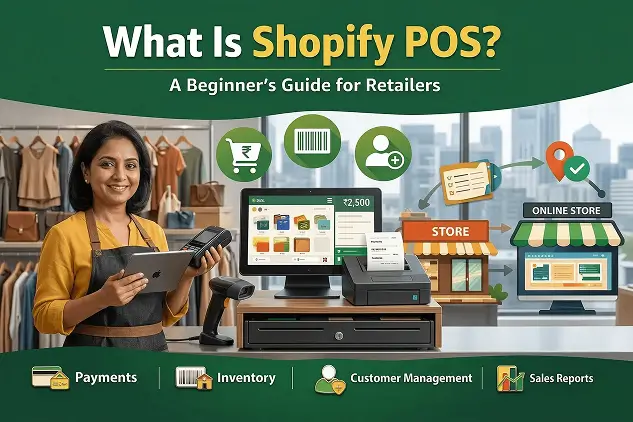


Running both a physical store and an online shop sounds great—until things stop matching up.
You’re constantly checking two inventory systems, fixing stock mismatches, and trying to reconcile in-store sales with online orders. It’s time-consuming and error-prone.
This is exactly the problem Shopify POS (Point of Sale) is designed to solve. It connects your offline and online sales into one unified system—so inventory, orders, and customer data stay perfectly synced.
Whether you run a boutique in Bengaluru, a clothing store in Delhi, a home décor shop in Mumbai, or sell at weekend pop-ups, Shopify POS helps you manage everything from one place.
What Is Shopify POS?
Shopify POS is a retail software solution that allows you to:
- Accept in-person payments
- Manage your product catalog
- Track inventory in real time
- Build customer profiles
All from a smartphone or tablet.
Unlike traditional POS systems that only process payments, Shopify POS connects directly to your Shopify backend. Every transaction updates inventory, customer data, and reports automatically.
How Shopify POS Works
Shopify POS operates through three main components:
| Layer | What It Does |
|---|---|
| The App | Installed on your phone or tablet. Staff use it to add products, apply discounts, accept payments, and process returns. |
| The Hardware | Includes card readers, barcode scanners, receipt printers, and cash drawers connected to the app. |
| The Backend | Shopify admin dashboard where inventory, orders, customers, and reports are synced in real time. |
Most single-store setups can go live within 1–2 hours.
Shopify POS Lite vs POS Pro
| Feature | POS Lite | POS Pro |
|---|---|---|
| Cost | Free with Shopify plan | ₹7,000/month per location |
| Payments (Card, Cash, Contactless) | ✔ | ✔ |
| Real-time inventory sync | ✔ | ✔ |
| Customer profiles | ✔ | ✔ |
| Gift cards | ✔ | ✔ |
| Staff accounts | Limited | Unlimited |
| Staff permissions | ❌ | ✔ |
| Purchase orders | ❌ | ✔ |
| Stock transfers | ❌ | ✔ |
| Low stock alerts | ❌ | ✔ |
| Omnichannel features | ❌ | ✔ |
| Advanced reporting | ❌ | ✔ |
👉 POS Lite is ideal for small sellers and pop-ups, while POS Pro is better for full retail operations.
Key Features of Shopify POS
1. Payment Processing
| Payment Method | Details |
|---|---|
| Cards | Visa, Mastercard, RuPay |
| Contactless | Apple Pay, Google Pay |
| UPI | Via third-party integrations |
| Cash | Supported with drawer tracking |
| Gift Cards | Works online and in-store |
| Split Payments | Combine cash, card, etc. |
| Custom Methods | Store credit, cheques |
⚠️ In India, Shopify Payments is not available. You’ll need gateways like Razorpay, PayU, or CCAvenue.
2. Inventory Management
- Real-time stock sync across online and offline
- Barcode scanning for quick checkout
- Purchase orders (POS Pro)
- Stock transfers between locations
- Low stock alerts
3. Customer Management
- Unified customer profiles
- Purchase history tracking
- Custom fields and tags
- Marketing opt-ins for SMS/email
4. Staff Management (POS Pro)
- Staff PIN logins
- Role-based permissions
- Sales tracking per employee
- Performance reports
5. Omnichannel Selling
- Buy online, pick up in store (BOPIS)
- Ship from store
- Endless aisle selling
- Accept online returns in-store
6. Checkout Tools
- Smart checkout interface
- Save and resume carts
- Custom receipts
- Discount controls
- GST-based tax calculation
7. Reporting and Analytics
- Daily sales reports
- Payment breakdown
- Staff performance
- Product insights
- Combined online + offline reporting
8. Latest Updates (POS Version 10)
- Offline payment support
- Custom branding on customer display
- Unverified returns
- Improved navigation
- Expanded barcode support
Shopify POS Hardware: What Do You Need?
| Device | Approx Price | Best For | Features |
|---|---|---|---|
| Card Reader | ₹4,000–₹6,000 | Mobile selling | Compact, Bluetooth |
| POS Go | ₹33,500 | Retail floor | All-in-one device |
| Countertop Kit | ₹18,000–₹40,000 | Fixed counter | Stable setup |
| Full Bundle | ₹80,000+ | Full store | Includes printer & drawer |
| Tablet | ₹25,000–₹50,000 | Required device | iPad or Android |
In India, third-party hardware is commonly used due to payment limitations.
Shopify POS Pricing in India
Component 1: Shopify Plan
| Plan | Monthly (INR) | Annual (INR/mo) | Extra Transaction Fee |
|---|---|---|---|
| Basic | ₹1,994 | ₹1,499 | 2% |
| Shopify | ₹7,447 | ₹5,599 | 1% |
| Advanced | ₹30,164 | ₹22,680 | 0.5% |
Component 2: POS Pro
| Detail | Cost |
|---|---|
| Per location | ₹7,000/month |
Component 3: Payment Gateway Fees
| Component | Cost |
|---|---|
| Gateway fee | 1.8% – 2.5% |
| Shopify fee | 0.5% – 2% |
| Total | ~2.3% – 4.5% |
Component 4: Hardware
| Setup Type | Cost |
|---|---|
| Basic | ₹4,000 – ₹6,000 |
| Standard | ₹18,000 – ₹40,000 |
| Full setup | ₹80,000+ |
| Tablet | ₹25,000 – ₹50,000 |
Setup Guide
| Step | Action |
|---|---|
| 1 | Choose Shopify plan |
| 2 | Install POS app |
| 3 | Add products |
| 4 | Set up payment gateway |
| 5 | Connect hardware |
| 6 | Configure taxes |
| 7 | Add staff |
| 8 | Run test transaction |
Is Shopify POS Right for Your Business?
| Works Well For | Consider Alternatives If |
|---|---|
| Shopify store owners | Restaurants/cafés |
| Retail shops | Need free POS |
| Multi-location stores | Heavy UPI dependency |
| Pop-ups and events | Complex B2B workflows |
Real Cost Example
| Component | Cost |
|---|---|
| Shopify Basic | ₹1,499 |
| POS Pro | ₹7,000 |
| Gateway Fee (2%) | ₹10,000 |
| Shopify Fee (2%) | ₹10,000 |
| Total | ₹28,499/month |
Device Compatibility
| Device | Supported |
|---|---|
| iOS (iPad/iPhone) | ✔ Recommended |
| Android | ✔ |
| Windows | ❌ |
| Mac (desktop POS) | ❌ |
Final Thoughts
Shopify POS is a powerful solution for retailers who want to unify their online and offline operations.
If you already use Shopify, it’s one of the easiest ways to manage your entire business from a single system.
Start with POS Lite, test it with real transactions, and upgrade to POS Pro only when you need advanced features.